Font Directory
Paper Look
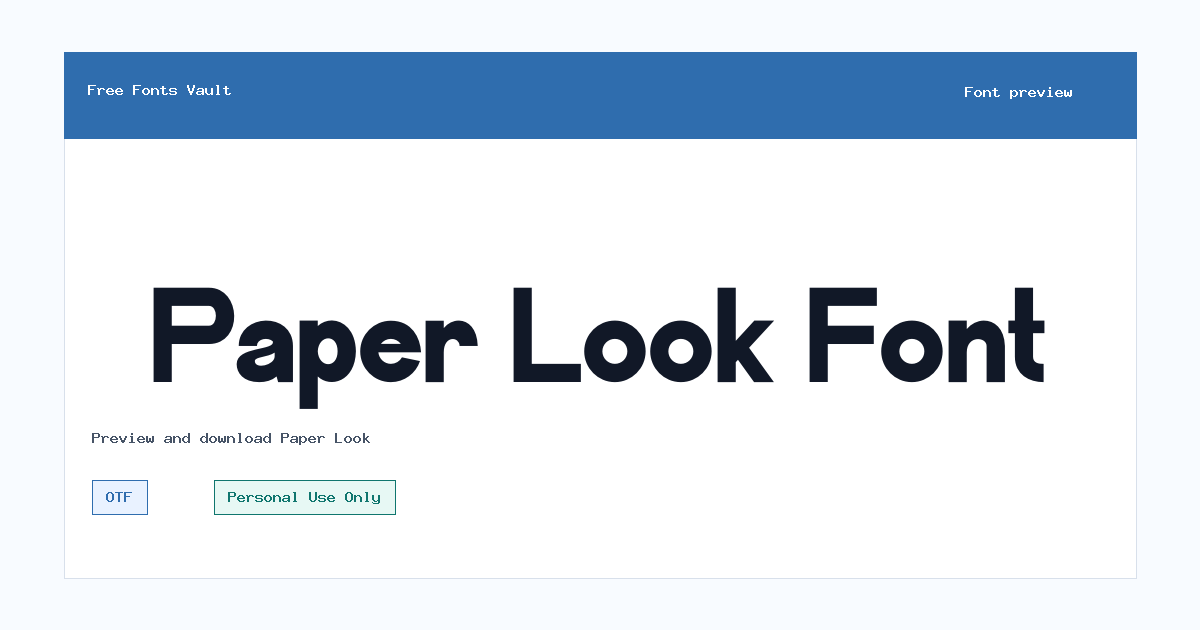
Paper Look includes 1 downloadable variant for live preview and testing.
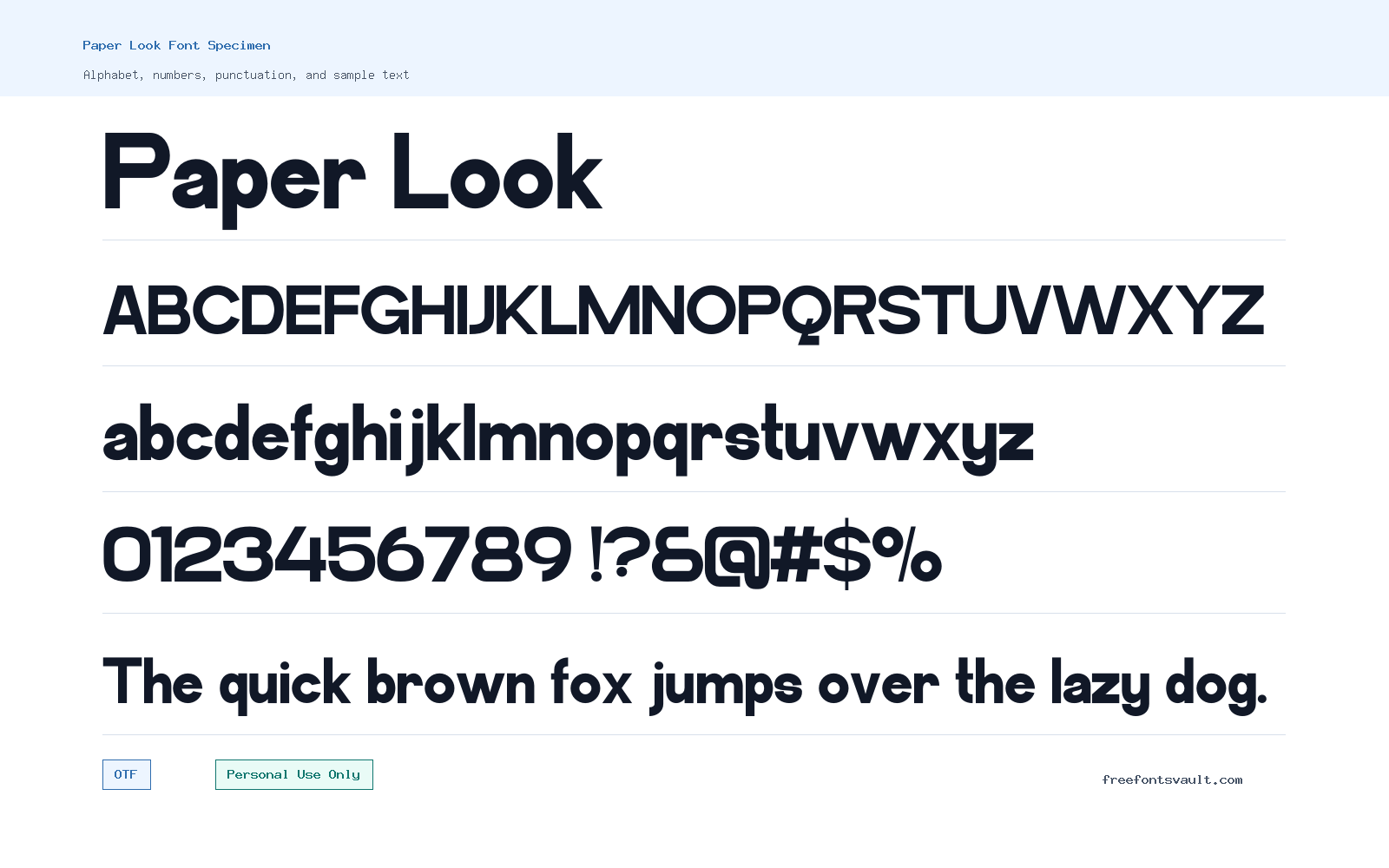
Font Specimen
Details
- Designer Funtype Co.
- Foundry Funtype Co.
- License Personal use only
- Format OTF
- Variants 1 file available
Paper Look font.
Paper Look is a sans serif font from Funtype Co. with a Personal Use Only license. It is offered as an OTF font file, so visitors can preview it quickly, test their own words, and decide whether its look fits a non-commercial design.
About Paper Look Font
Paper Look works best when treated as a display-friendly sans serif rather than a long-reading text face. The name suggests a light, crafted impression, but the safest way to judge it is through the live preview: type a real headline, a short label, a name, or a phrase from your project and look at the spacing, letter shapes, and overall balance. Test both uppercase and lowercase if your design needs them. Also check numbers and punctuation, especially if you plan to use the font on invitations, social graphics, printable notes, classroom sheets, or personal branding mockups.
Because only one regular OTF style is listed, Paper Look is most practical for simple designs that do not need a full weight range. Use it for short text first: title lines, cover names, quote cards, headers, small badges, labels, and decorative accents. For longer paragraphs, pair it with a plain, highly readable font so the design stays easy to scan. A neutral sans serif or a simple serif can work as a supporting font, while Paper Look can carry the visual tone in the headline. If the preview feels tight at small sizes, increase letter spacing slightly or reserve it for larger text.
Features
- Single regular OTF font file, useful for installing on desktop design apps and testing in preview tools.
- Sans serif style with a personal-use license, best approached as a short-text display choice rather than a full body-copy system.
- Simple one-style setup, which makes it easy to test quickly but limits bold, italic, and multi-weight layout options.
- Suitable for previewing personal projects where the main concern is the look of names, titles, captions, and short phrases.
Best Uses
- Personal invitation drafts, quote graphics, scrapbook-style titles, printable labels, and small creative layouts.
- Short headings, social media mockups, classroom or hobby materials, and design experiments that do not require commercial rights.
- Projects where one regular style is enough and the headline can be supported by a plainer companion font.
- Testing a soft or paper-inspired visual direction before choosing a final licensed typeface for wider use.
License Information
Paper Look is marked as Personal Use Only. That means it should be used for personal, non-commercial projects unless you obtain separate permission or a commercial license from the rights holder. Do not use it for client work, paid products, business branding, merchandise, advertising, monetized content, or public commercial campaigns without confirming the proper license first.
Designer and Foundry
The designer and foundry are listed as Funtype Co. Keep creator credits simple and avoid adding origin claims unless the rights holder confirms them.
Usage Tips
Download the OTF file, install it on your system, then restart any design app that was already open so the font menu can refresh. In the preview box, test the exact words you plan to use rather than a random sample. Look closely at letters that often affect layout, such as A, R, S, W, lowercase g, numbers, and punctuation. If the font is used in a graphic, export a quick test image and view it at the size people will actually see. For web or app use, confirm licensing and technical requirements first; the listed file is OTF, and a webfont process may require conversion, optimization, and permission.
FAQ
Is Paper Look free for commercial use?
No. The listed license is Personal Use Only. Use it for personal projects unless you have separate commercial permission from the rights holder.
What file format is included?
The available font file is in OTF format. OTF files are commonly used on desktop systems and in many design applications.
Does Paper Look include bold or italic styles?
Only one regular style is listed. If you need bold, italic, or several weights, test whether your software’s faux styles look acceptable or choose a larger font family.
What kind of text should I test in the preview?
Test the real words from your project: a title, name, label, quote, or short heading. This gives a better result than judging the font from alphabet samples alone.
Can I use Paper Look for long paragraphs?
It is better to test it as a headline or accent font first. For long reading, pair it with a simpler font that stays clear at smaller sizes.
How should I pair Paper Look with another font?
Use Paper Look for the expressive part of the design and pair it with a calm, readable typeface for body text, captions, dates, or instructions.
Similar Fonts
Want to browse beyond this family? Return to All Fonts for the main directory.