Font Directory
Crunch
Crunch includes 1 downloadable variant for live preview and testing.
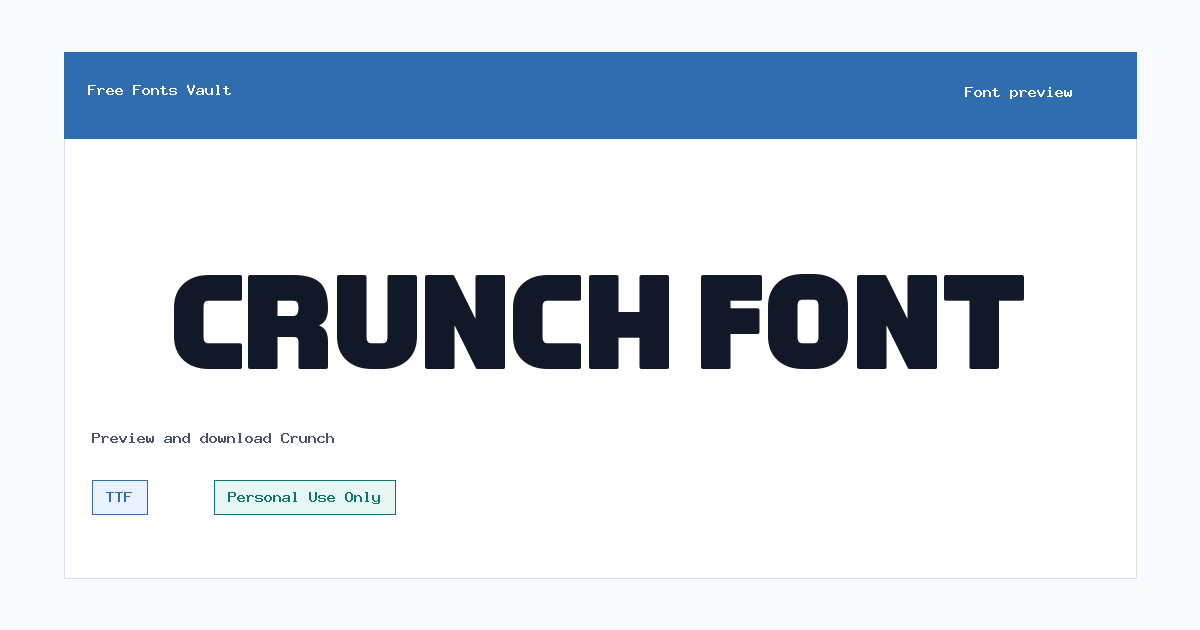
Font Specimen
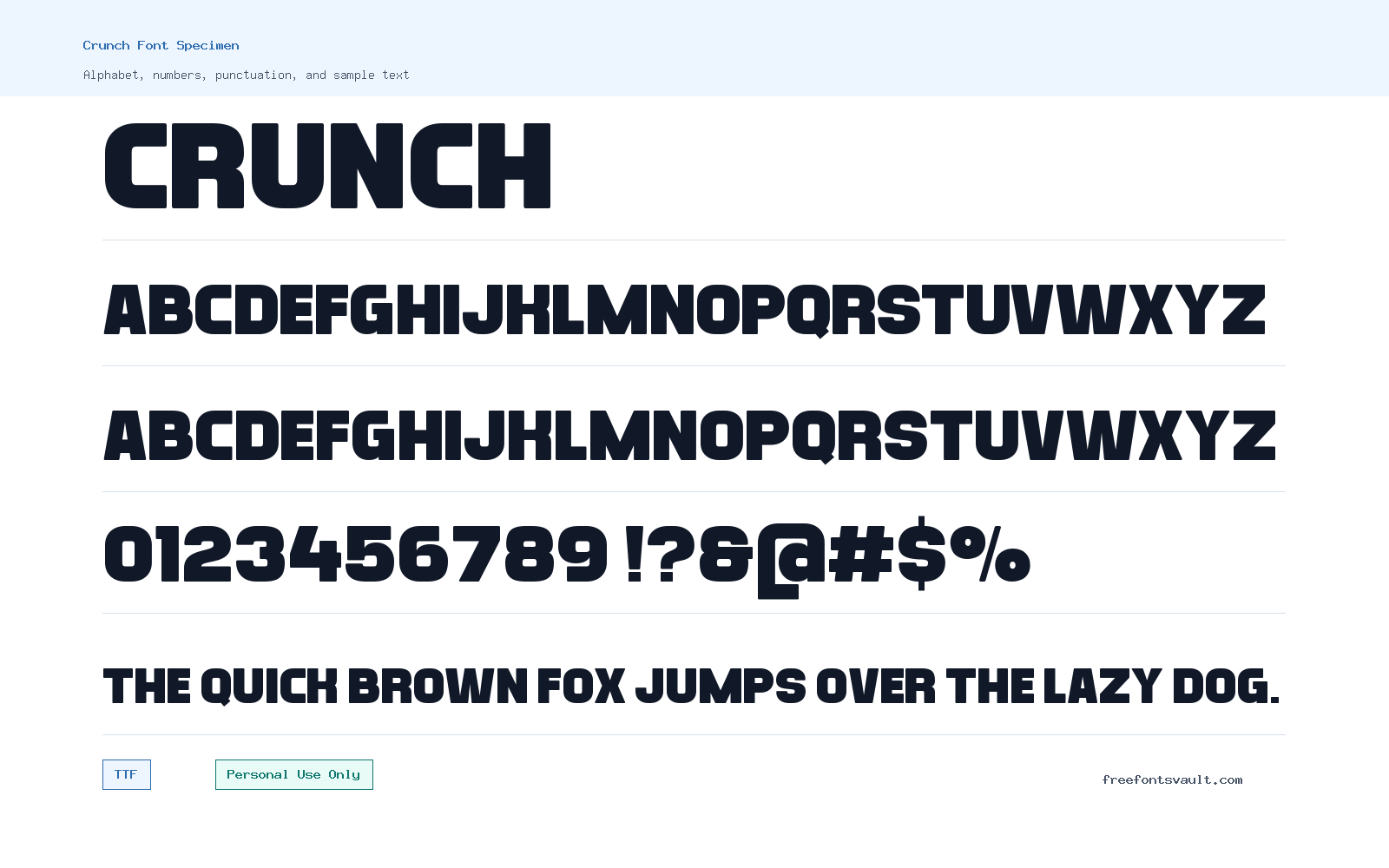
Details
- Designer Funtype Co.
- Foundry Funtype Co.
- License Personal use only
- Format TTF
- Variants 1 file available
Crunch font.
Crunch is a display font from Funtype Co. with a strong, attention-grabbing feel suited to short pieces of text. It is best approached as a headline or graphic font rather than a long-reading typeface.
About Crunch Font
Crunch is the kind of font to test when a design needs a compact, punchy wordmark, poster heading, sticker-style title, or social graphic. The name suggests a bold personality, and the single regular TTF file makes it simple to install and try in common design apps. Because only one regular style is present, the font works best when the design itself supplies the contrast through size, color, spacing, shadows, outlines, or pairing choices. Use the preview box to check how your exact words behave, especially if your text includes mixed case, numbers, punctuation, or tight letter combinations.
For logo work, Crunch can be useful during early personal concepting, mood boards, fan graphics, mock packaging, or non-commercial brand experiments. Keep the license limit in mind before using it for a client, product, monetized channel, merchandise, or business identity. In layout work, give the font room to breathe. Display fonts often lose their charm when they are forced into long paragraphs, small captions, or dense interface text. Try it at large sizes first, then reduce it only if the letters still stay clear. If the design feels too heavy, pair Crunch with a plain sans serif for body text, navigation, and supporting details.
Crunch is also a practical choice for poster drafts, event graphics, YouTube thumbnail concepts, web mockups, title cards, and bold image captions where the main job is quick recognition. Test a few background styles before settling on a final look. A simple flat color can make the letter shapes easier to read, while textured or busy images may need extra spacing, stroke, or a contrast layer behind the words. Since the font file is TTF, it should work in many desktop tools, including common design, presentation, and document apps that accept TrueType fonts.
When pairing Crunch, avoid using another loud display font in the same small layout unless you are intentionally building a playful poster style. A neutral sans serif usually gives the cleaner result: Crunch can handle the title, while the calmer typeface handles descriptions, dates, prices, download notes, or calls to action. For web mockups, use Crunch sparingly in hero headings or visual banners, then switch to a more readable text face for menus and paragraphs. This keeps the design energetic without making the whole page hard to scan.
Features
- Regular TTF font file suitable for testing in many desktop design and document apps
- Display-focused style for short, high-impact text rather than long paragraphs
- Single regular weight, making spacing, size, color, and pairing important design controls
- Useful for personal poster concepts, mock logos, thumbnails, title graphics, and web mockups
Best Uses
- Personal poster titles and event-style graphics
- Mock logo concepts and wordmark experiments
- Social media images, thumbnails, and short captions
- Web hero mockups and landing page headline tests
- Sticker, label, and packaging-style personal projects
License Information
Crunch is marked as Personal Use Only. Use it for personal projects, previews, practice work, and non-commercial experiments. Do not use it for client work, business branding, paid products, merchandise, advertising, monetized content, or other commercial purposes unless you obtain the proper commercial permission from the rights holder.
Designer and Foundry
Crunch is credited to Funtype Co. as the designer and foundry.
Usage Tips
Install the TTF file, type your own words in the preview, and check readability at the size you plan to use. For best results, use Crunch for short headings or visual accents, then pair it with a simple sans serif for body copy and smaller details.
FAQ
Is Crunch free for commercial use?
No. Crunch is marked as Personal Use Only, so commercial use needs separate permission or a commercial license from the rights holder.
What file format is included for Crunch?
Crunch is available as a TTF font file, which is a common TrueType format supported by many desktop design and document applications.
Can I use Crunch for a logo?
You can test it in personal logo concepts or practice designs, but you should not use it in a real business logo, client logo, product identity, or monetized project unless you have commercial rights.
Is Crunch good for body text?
Crunch is better for short display text such as titles, posters, thumbnails, and graphic headings. For paragraphs or small text, pair it with a cleaner, more readable text font.
What should I check before downloading?
Preview your exact text first, including numbers and punctuation if you need them. Also review the Personal Use Only license limit before using the font outside personal work.
How should I pair Crunch with other fonts?
Use Crunch for the main title and pair it with a neutral sans serif for descriptions, menus, captions, or longer text. This keeps the design bold without hurting readability.
Similar Fonts
Want to browse beyond this family? Return to All Fonts for the main directory.