Font Directory
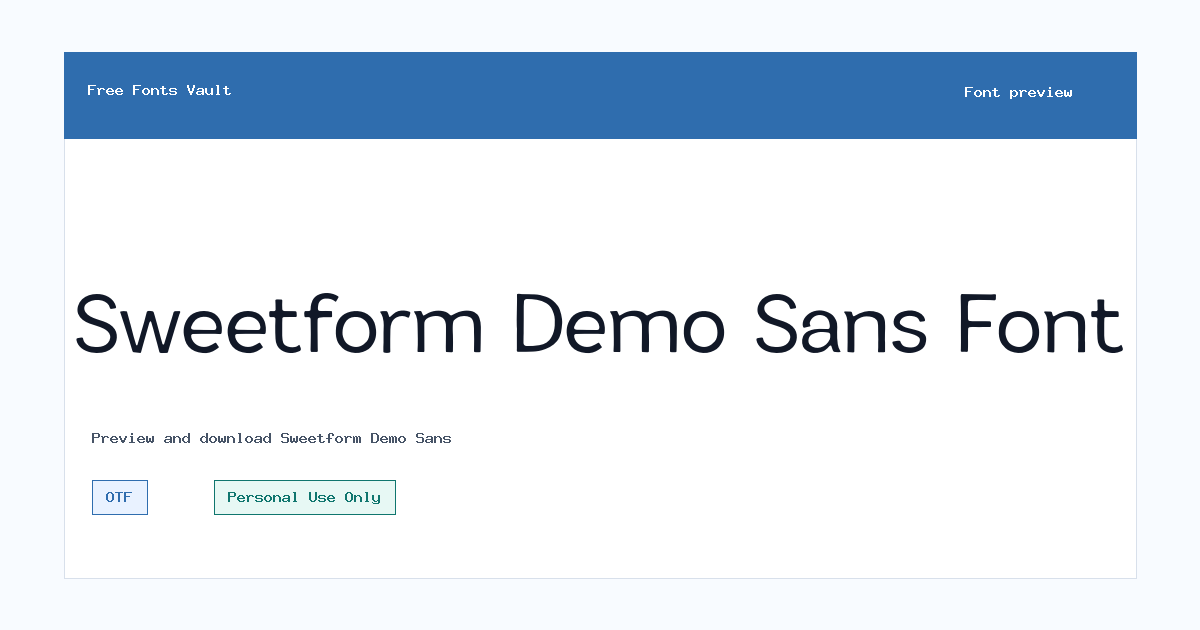
Sweetform Demo Sans
Sweetform Demo Sans includes 1 downloadable variant for live preview and testing.
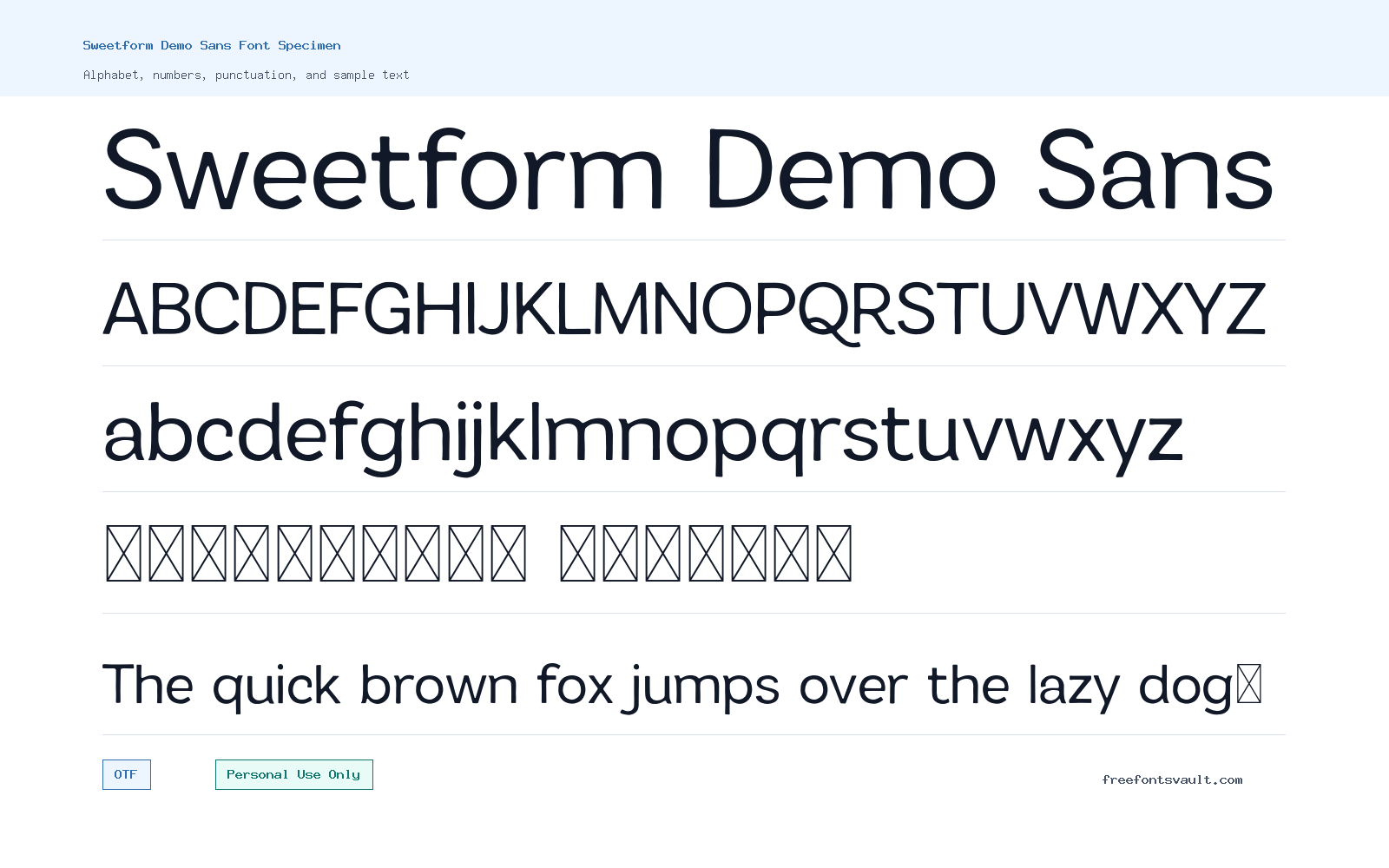
Font Specimen
Details
- Designer VPfonts
- License Personal use only
- Format OTF
- Variants 1 file available
Sweetform Demo Sans font.
Sweetform Demo Sans is a personal-use font from VPfonts, offered as a regular OTF style for visitors who want to test it in headlines, mockups, and short display text before downloading.
About Sweetform Demo Sans
Sweetform Demo Sans is best approached as a demo-style sans font for trying ideas quickly. The family name points to a sans companion, and the available file is a regular-weight OTF, so the safest way to judge it is through the live preview: type a brand name, a short quote, a menu title, or a poster headline and look closely at spacing, letter shapes, and how the font handles uppercase, lowercase, numbers, and punctuation. Since only one regular style is listed, do not expect a full family with bold, italic, or multiple weights unless you obtain a broader version from the designer or an official license source.
For design work, Sweetform Demo Sans can be useful when you need a simple display test for logos, social posts, packaging drafts, greeting-card layouts, web hero mockups, or poster concepts. Keep the text short at first. A single-style font often works best when it has room to breathe, especially in titles, labels, and decorative blocks. If you plan to use it for body copy, test a full paragraph at the exact size you need, because a font that looks clear in a large preview may feel tighter or less comfortable in small text. For web mockups, also check how it looks beside your normal UI font, since demo fonts are often better for headings than for navigation, buttons, or long reading sections.
Features
- Regular OTF font file for desktop design apps and font preview testing.
- Personal-use listing, so it is suitable for private drafts, experiments, and non-commercial personal projects unless a broader license is confirmed.
- Single regular style, which makes it easy to test but limits weight and emphasis options.
- Sans-named family, useful to try in clean title treatments, logo drafts, and modern layout mockups.
- Works best when tested with real project words rather than placeholder text, especially for brand names and short headlines.
Best Uses
- Logo drafts and wordmark mockups where you need to test a clean sans direction.
- Poster titles, quote graphics, and social media headers using short text.
- Personal invitations, mood boards, and non-commercial visual experiments.
- Website hero mockups and landing-page title concepts before choosing a final licensed font.
- Pairing tests with a readable serif, neutral sans, or simple system font for supporting text.
License Information
Sweetform Demo Sans is marked Personal Use Only. Use it for personal, non-commercial testing and private projects unless you have permission or a commercial license from the rights holder. Do not use it in paid client work, business branding, products for sale, advertising, monetized content, or commercial websites without confirming the correct license first.
Designer and Foundry
The designer is listed as VPfonts. No separate foundry name or designer website is provided, so verify the designer and license path if you need the font for professional or commercial use.
Usage Tips
Install the OTF file in your operating system or load it into a design app, then test the exact words you plan to use. Start with headings, short labels, logo text, and poster-size layouts. Check spacing between tricky letter pairs, punctuation, numbers, accents if your text needs them, and readability at small sizes. Since only the regular style is available, create hierarchy with size, color, spacing, and layout rather than relying on bold or italic styles. For pairing, use Sweetform Demo Sans as the display face and choose a calmer companion for paragraphs, captions, menus, and legal text. A neutral sans can keep the layout clean, while a restrained serif can add contrast without competing with the headline.
FAQ
Is Sweetform Demo Sans free for commercial use?
No. The license information says Personal Use Only. You should not use it commercially unless you obtain a commercial license or written permission from the rights holder.
What font format is Sweetform Demo Sans?
The available font file is in OTF format, which is commonly supported by desktop systems and design software.
Does Sweetform Demo Sans come with multiple weights?
Only a regular style is listed. If you need bold, italic, or additional weights, look for an official full family or choose a companion font.
Can I use Sweetform Demo Sans for a logo?
You can test it in a logo concept for personal use, but a real business logo or client logo would require commercial-use permission. Always confirm the license before finalizing brand work.
Is Sweetform Demo Sans good for body text?
Test it before using it in long paragraphs. With a single regular style, it is usually safer to try it first in headings, titles, labels, and short display text.
What should I pair with Sweetform Demo Sans?
Pair it with a simple, highly readable text font. A neutral sans works well for clean layouts, while a quiet serif can add contrast for invitations, posters, or editorial-style mockups.
Similar Fonts
Want to browse beyond this family? Return to All Fonts for the main directory.