Font Directory
PERFORM GENERIC
PERFORM GENERIC includes 1 downloadable variant for live preview and testing.
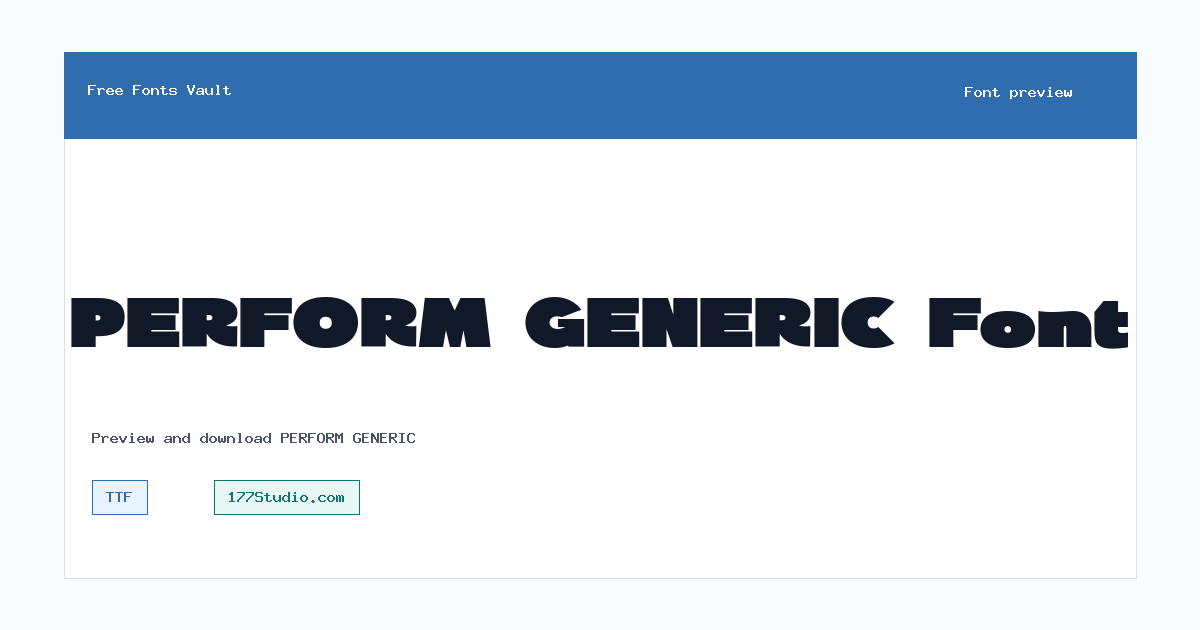
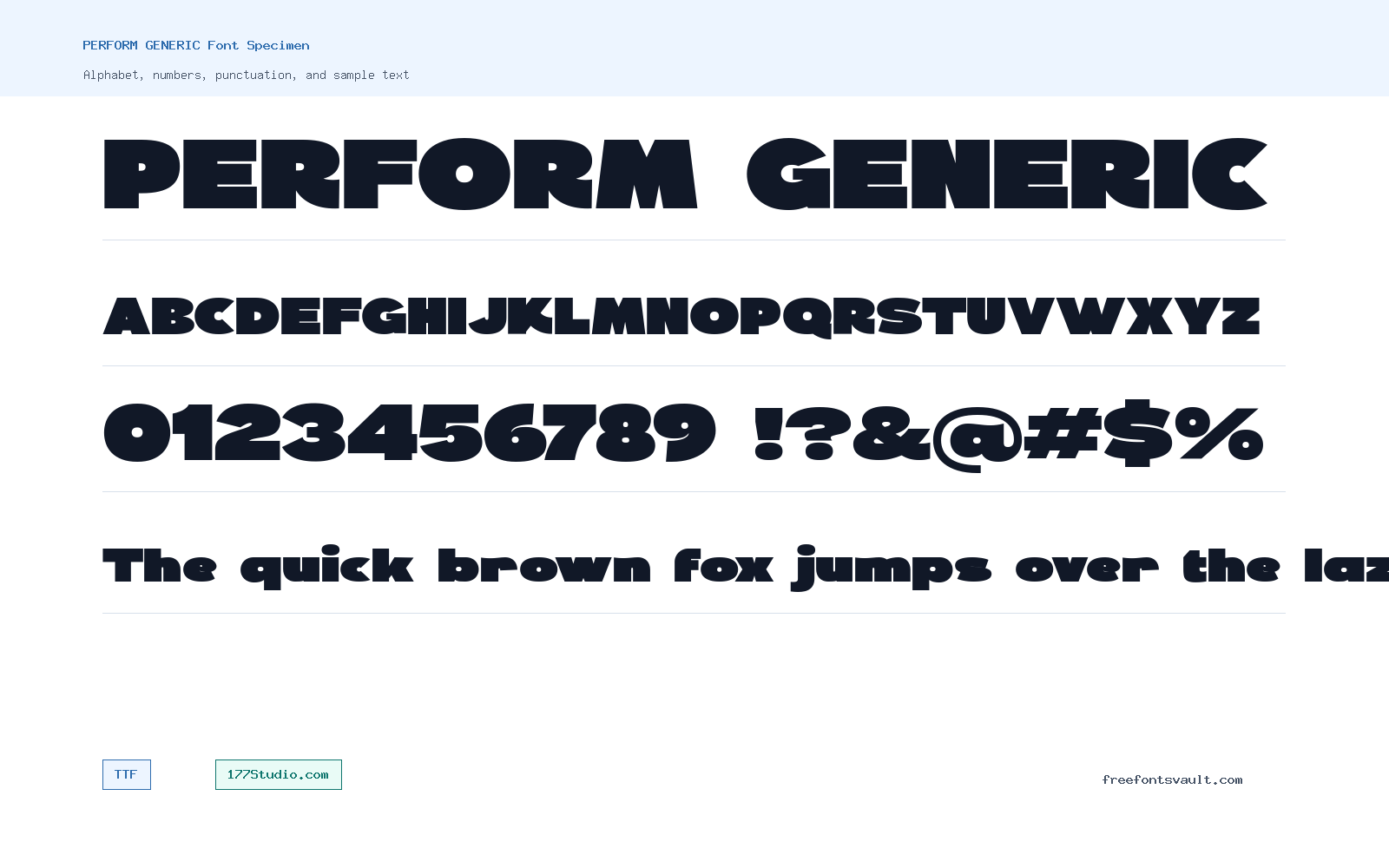
Font Specimen
Details
- Designer 177Studio.com
- Foundry 177Studio.com
- License 177Studio.com
- License URL 177Studio.com
- Format TTF
- Variants 1 file available
PERFORM GENERIC font.
PERFORM GENERIC is a font family credited to 177Studio.com. The download contains a Regular TrueType font file, making it easy to install, preview, and test in common design apps.
About PERFORM GENERIC
PERFORM GENERIC comes as a single Regular style in TTF format. Since only one weight is listed, it is best tested first in the exact size and setting you plan to use. Try a few words, a full headline, and mixed uppercase and lowercase text in the preview to see how the spacing, rhythm, and character shapes work for your project.
This font is most practical for short text where you can judge the look quickly: titles, nameplates, poster lines, labels, social graphics, and simple display text. If you plan to use it for paragraphs, menus, or small captions, preview longer samples first. A single regular weight can still be useful, but it may need careful pairing with a plain sans serif or serif font for body copy.
For a cleaner result, decide what job PERFORM GENERIC needs to do before using it. If it is carrying a title, give it enough size and whitespace. If it is part of a busy poster or social graphic, compare it beside a simpler text font so the message stays readable.
Because this entry lists one regular TTF file, style variation has to come from composition rather than extra weights. Test color, tracking, line breaks, and background contrast in the preview before moving into a finished layout.
Features
- Regular style with normal weight
- TrueType .ttf format for broad desktop app support
- Credited to 177Studio.com
- Simple single-file family for quick previewing and installation
- Works best when tested with the final wording instead of generic sample text
- Single-style setup keeps installation simple but limits weight and italic options
Best Uses
- Headlines and short display text
- Posters, banners, and social media graphics
- Logo drafts or name treatments that will be reviewed for licensing
- Testing custom text in a font preview before download
- Quick headline experiments where one regular font file is enough
- Small design systems that need a display accent paired with a more neutral reading font
License Information
The license field names 177Studio.com, but the exact usage terms are not stated here. Check the terms from 177Studio.com before using PERFORM GENERIC in commercial, client, logo, product, or redistribution projects.
Designer and Foundry
PERFORM GENERIC is credited to 177Studio.com as the designer and foundry.
Usage Tips
Install the TTF file and test your own wording before committing to a design. For best results, check uppercase, lowercase, numbers, punctuation, and tight letter pairs. If the font is used for a headline, pair it with a simpler text font so longer reading stays clear.
FAQ
What format is PERFORM GENERIC?
PERFORM GENERIC is listed as a TrueType font file with the .ttf format.
Does PERFORM GENERIC include multiple weights?
Only a Regular style with normal weight is listed, so there are no confirmed bold, italic, or extra-weight files in this font entry.
Can I use PERFORM GENERIC for commercial work?
Do not assume commercial use is allowed. The license information points to 177Studio.com, so check the original terms before using it in paid, client, logo, product, or business projects.
Who designed PERFORM GENERIC?
The font is credited to 177Studio.com.
What should I test in the preview?
Test your actual headline or title, then check numbers, punctuation, and spacing. If you need long text, preview a full sentence or paragraph before downloading.
How should I test PERFORM GENERIC before downloading?
Preview your real title, then check numbers, punctuation, and a full sentence. That makes it easier to catch spacing issues before using the font in a design file.
Similar Fonts
Want to browse beyond this family? Return to All Fonts for the main directory.