Font Directory
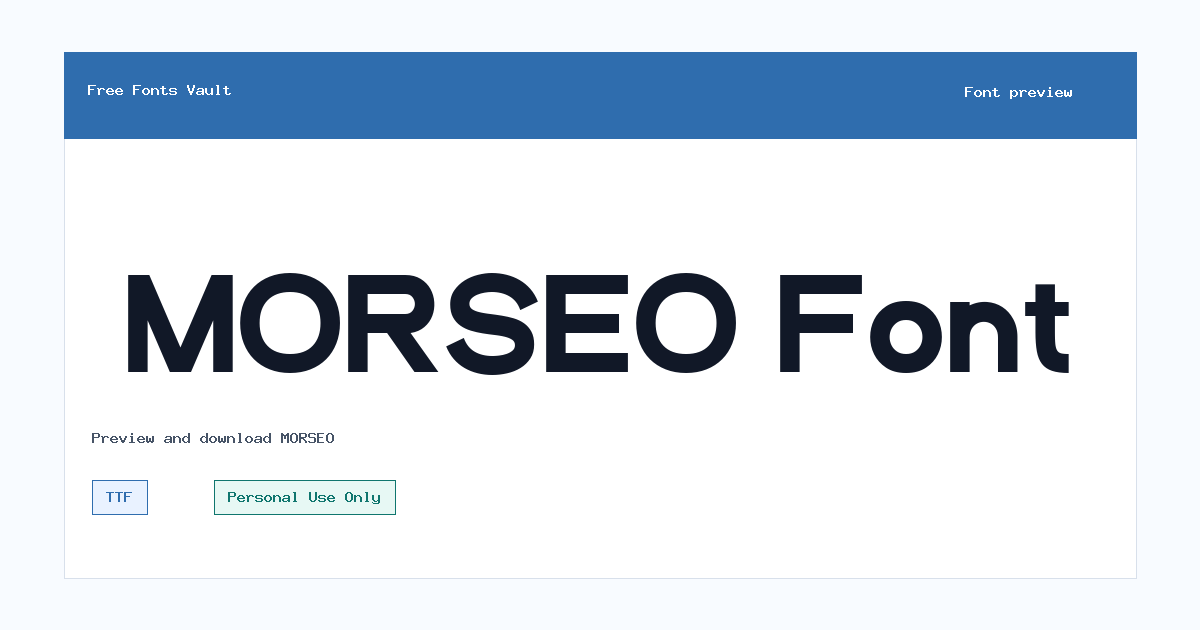
MORSEO
MORSEO includes 1 downloadable variant for live preview and testing.
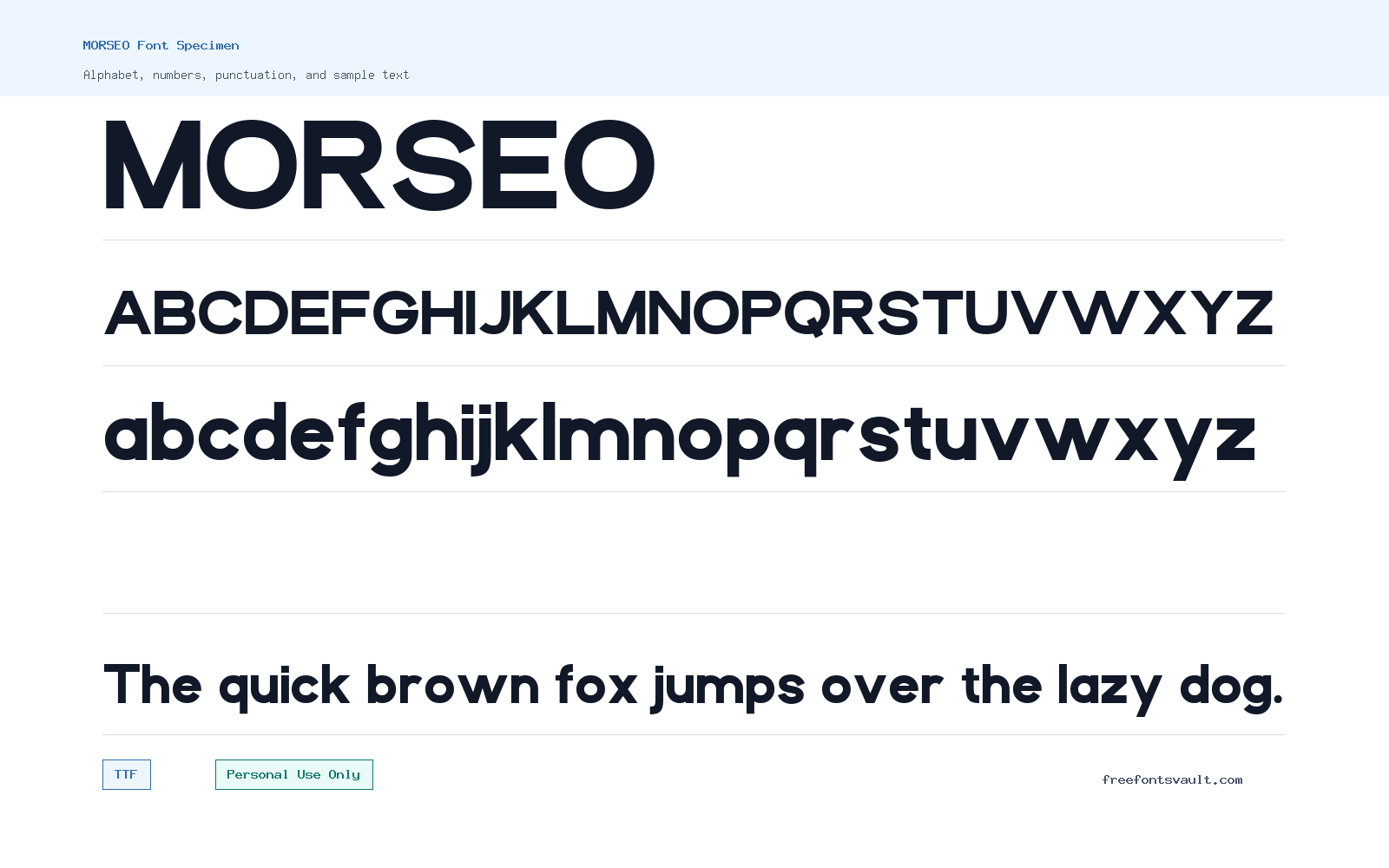
Font Specimen
Details
- License Personal use only
- Format TTF
- Variants 1 file available
MORSEO font.
MORSEO is a bold sans serif font with a clean, direct look that works best when you need strong words to stand out. It is offered as a TTF font file and is marked for personal use only, so check the license carefully before using it in paid or client work.
About MORSEO Font
MORSEO has the kind of weight and simplicity that suits short, confident text. The available font file is a bold 700-weight TTF, which makes it more useful for headings than for long reading paragraphs. Use the preview box to test the exact words you plan to use, because bold sans serif fonts can change character depending on spacing, letter combinations, and whether the text is set in uppercase or lowercase. It should be a practical choice for title graphics, display text, social posts, poster headlines, and quick branding experiments where the goal is clarity first.
For logo work, MORSEO is best treated as a starting point rather than a finished identity system. Try it with short names, initials, product labels, or event titles, then adjust tracking and spacing in your design software. Because the font is heavy, give it enough room around the letters instead of squeezing it into tight layouts. In posters or web mockups, it can work well as a main heading paired with a quieter body font. Avoid using it for long article text, small captions, dense menus, or paragraphs where a lighter, more text-focused typeface would be easier to read.
The font format is TTF, which is widely supported by common design apps and operating systems. After downloading, you can install it on your computer and test it in tools such as Photoshop, Illustrator, Figma, Canva, or a local word processor, depending on what your setup supports. If you are preparing a website mockup, use MORSEO for visual exploration first and confirm the license before any public or commercial launch. For live websites, you may also need webfont formats and a license that specifically allows web use.
Pairing MORSEO is mostly about contrast. Since it is bold and direct, it usually needs a calmer companion font for body copy. A neutral sans serif can keep the layout modern and clean, while a simple serif can add a more editorial contrast. Keep the second font lighter in weight so MORSEO stays in charge of the visual hierarchy. If the design starts to feel too heavy, increase line spacing, reduce the number of words set in MORSEO, or use it only for the main headline.
When previewing the font, test the real content you plan to design with, not just sample text. Check brand names, numbers, punctuation, and any special characters you need. Look closely at how wide the words become, whether the counters stay open at smaller sizes, and whether the spacing feels even. For a poster or thumbnail, try it at the final viewing size. A bold font can look strong on a large canvas but become crowded when reduced for mobile screens or social media previews.
Features
- Bold 700-weight style suited to display use
- TTF font format for broad desktop app support
- Clean sans serif appearance for direct headlines
- Useful for short text, names, labels, and title graphics
- Personal-use licensing requires caution for commercial projects
Best Uses
- Logo concepts and personal branding tests
- Poster headlines and event graphics
- Social media titles, thumbnails, and quote cards
- Website hero mockups and landing page headings
- Product labels, badges, and short display text
- Personal design experiments where a bold sans serif is needed
License Information
MORSEO is marked as Personal Use Only. You can use it for personal projects, practice layouts, and non-commercial design tests, but do not assume it is allowed for client work, business branding, merchandise, advertising, apps, websites, or any other commercial use without getting the proper license from the rights holder.
Designer and Foundry
The designer name associated with MORSEO is FLAWLESSANDCO. No foundry information or official designer website is listed.
Usage Tips
Use MORSEO where the text is short and needs a strong visual presence. It is better for headlines, logos, posters, and mockups than for long paragraphs. Test spacing carefully, pair it with a lighter reading font, and confirm the license before using it beyond personal work.
FAQ
Is MORSEO free for commercial use?
No. MORSEO is marked as Personal Use Only, so commercial use should not be assumed. Get a proper commercial license before using it for business, client, product, advertising, or monetized projects.
What kind of font is MORSEO?
MORSEO is presented as a sans serif font and the available file is a bold TTF style with a 700 weight. It is best suited to display text rather than long body copy.
What file format is available for MORSEO?
The available MORSEO font file is in TTF format. TTF fonts are commonly supported by desktop design software and most operating systems.
Can I use MORSEO for a logo?
You can test MORSEO in personal logo concepts, but a real business or client logo would count as commercial use in many cases. Confirm the license before using it for any public brand identity.
What should I pair with MORSEO?
Pair MORSEO with a lighter, simpler font for body text. A neutral sans serif keeps the design clean, while a readable serif can add contrast. Avoid pairing it with another heavy display font unless the layout is very minimal.
Is MORSEO good for website text?
It can work well in website mockups for hero headings, banners, or short titles. It is not ideal for long paragraphs, small navigation text, or dense interface copy.
Similar Fonts
Want to browse beyond this family? Return to All Fonts for the main directory.