Font Directory
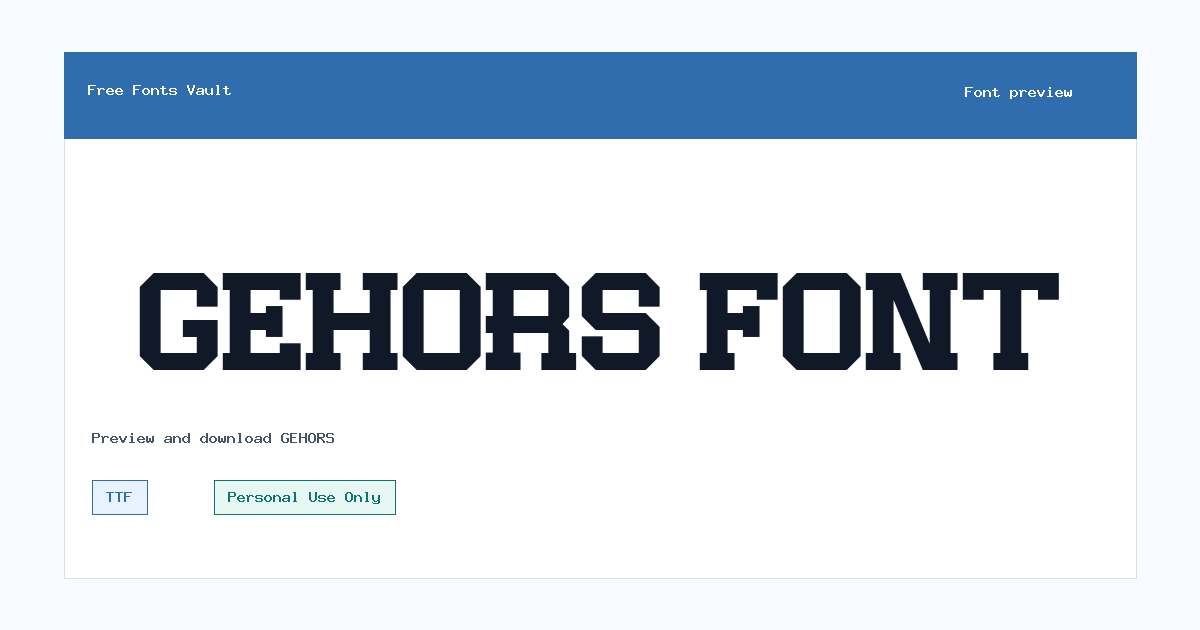
GEHORS
GEHORS includes 1 downloadable variant for live preview and testing.
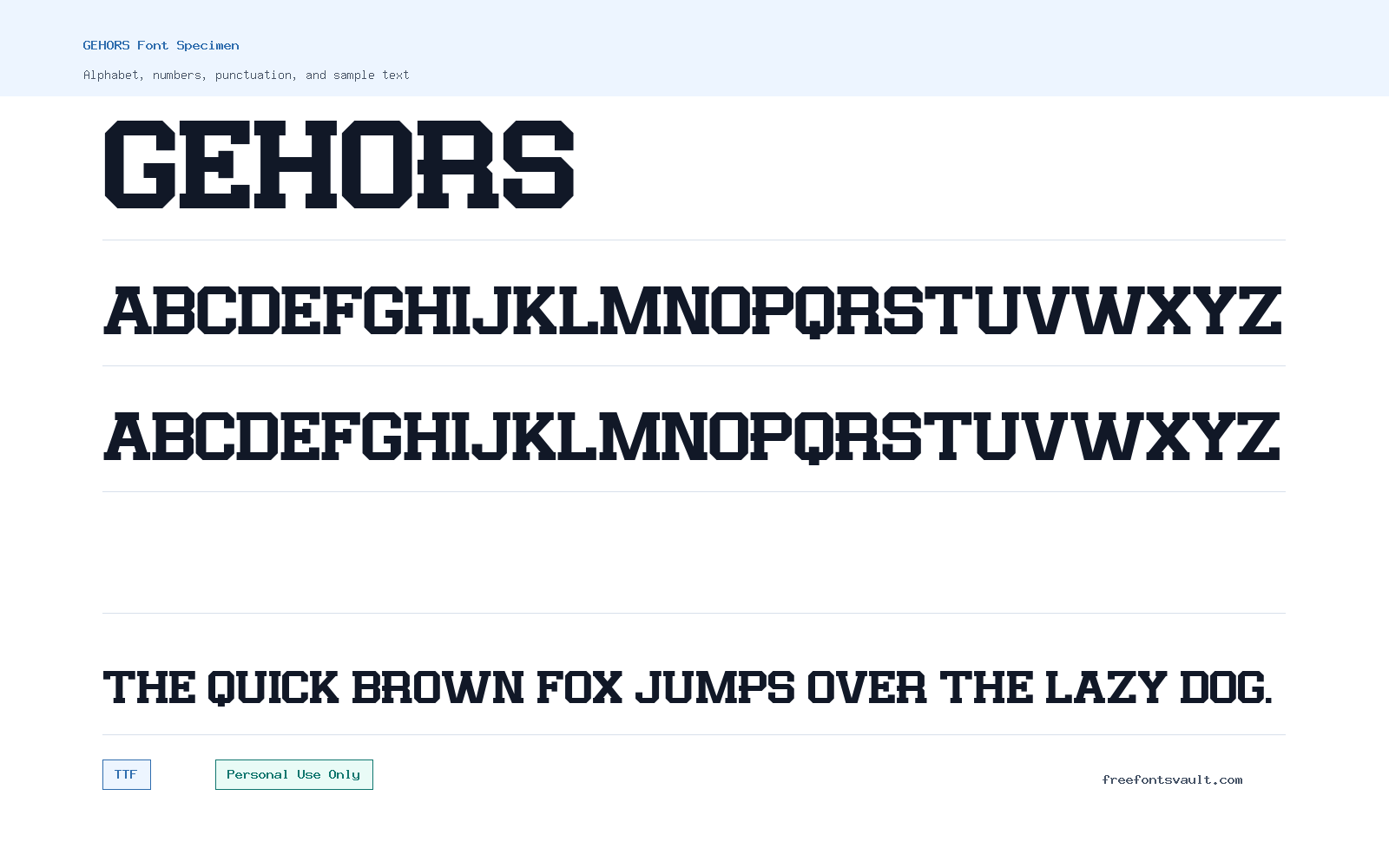
Font Specimen
Details
- License Personal use only
- Format TTF
- Variants 1 file available
GEHORS font.
GEHORS is a display font with a strong title-ready presence, suited to short words, bold headings, poster text, logo drafts, and visual branding experiments.
About GEHORS Font
GEHORS works best when you treat it as a display face rather than a long-reading text font. Its value is in impact: short names, large titles, cover lines, packaging mockups, thumbnails, and graphic compositions where the lettering can carry the mood of the design. Use the preview tool to test your exact wording before downloading, because display fonts can change a lot from one word to another. A short brand name may look balanced, while a longer phrase may need tracking, line breaks, or a simpler companion font to stay readable.
For logo work, GEHORS can be useful in early concepts, social banners, music artwork, fashion-style graphics, and poster layouts where the font is used at a large size. Keep the text short and give the letters enough room. If you use it in web mockups, try it for hero headings, section titles, buttons with very short labels, or promotional graphics rather than body copy. Pair it with a clean sans serif or a quiet serif for descriptions, menus, captions, and legal text. That contrast helps the display lettering stand out without making the whole layout feel heavy.
Features
- Regular TTF font file with normal style and 400 weight
- Display-focused personality suited to titles, logos, posters, and short promotional text
- Best used at larger sizes where the letter shapes can be judged clearly
- Works well with simple supporting fonts for readable body text and navigation
- Personal-use licensing means commercial projects need extra permission or a proper license
Best Uses
- Logo drafts and wordmark experiments
- Poster headlines and event graphics
- Album covers, thumbnails, and social media title art
- Branding mockups, packaging concepts, and mood boards
- Website hero headings and short promotional banners
- Personal design practice, student projects, and non-commercial previews
License Information
GEHORS is marked as Personal Use Only. Use it for personal, testing, or non-commercial design work unless you have confirmed commercial permission from the rights holder. Do not use it in paid client work, products, advertising, merchandise, apps, templates, or business branding without checking the license terms first.
Designer and Foundry
The designer is listed as FLAWLESSANDCO. No foundry name or official designer URL is available in the font listing.
Usage Tips
Preview your exact text in uppercase, lowercase if supported, numbers, and punctuation before using the font in a layout. Test it at the real size you plan to use, especially for logos and posters. For cleaner results, use GEHORS for the main display text and pair it with a neutral sans serif such as Arial, Inter, Helvetica-style fonts, or another simple readable face for body copy. Avoid using it for paragraphs, dense menus, long quotes, or small mobile text where decorative display fonts can become hard to read.
FAQ
Is GEHORS free for commercial use?
No. The license information marks GEHORS as Personal Use Only. For commercial use, you should get permission or a commercial license from the font owner.
What kind of projects is GEHORS good for?
GEHORS is best for short display text such as logos, poster titles, social media graphics, cover art, packaging mockups, and web hero headings.
Can I use GEHORS for a logo?
You can test it in personal logo concepts, but commercial logo use needs a license that allows it. Always confirm the rights before using it for a brand, client, product, or business.
What file format does GEHORS use?
The available font file is in TTF format, which is commonly supported by design software and many operating systems.
Is GEHORS good for body text?
It is better for display use. For paragraphs, captions, menus, and longer reading, pair it with a simpler text font.
What should I check in the preview before downloading?
Test your project name, headline, numbers, punctuation, and spacing. Display fonts often look strongest in short text, so preview the exact wording you plan to use.
Similar Fonts
Want to browse beyond this family? Return to All Fonts for the main directory.