Font Directory
Moara Demo
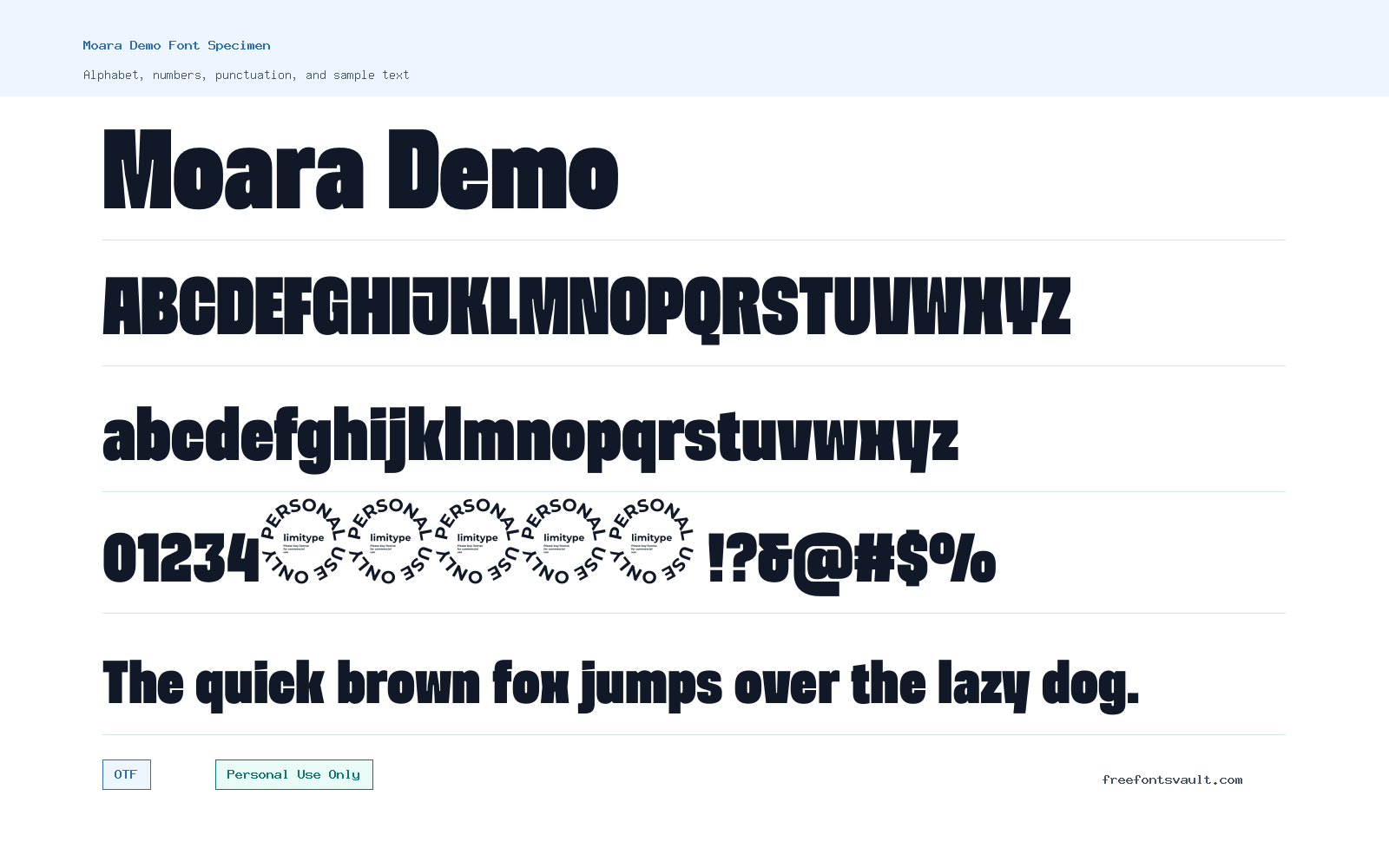
Moara Demo includes 1 downloadable variant for live preview and testing.
Font Specimen
Details
- Designer Muhammad Muammar, Furqan Sudirman
- Foundry ?Limitype
- License Personal use only
- Format OTF
- Variants 1 file available
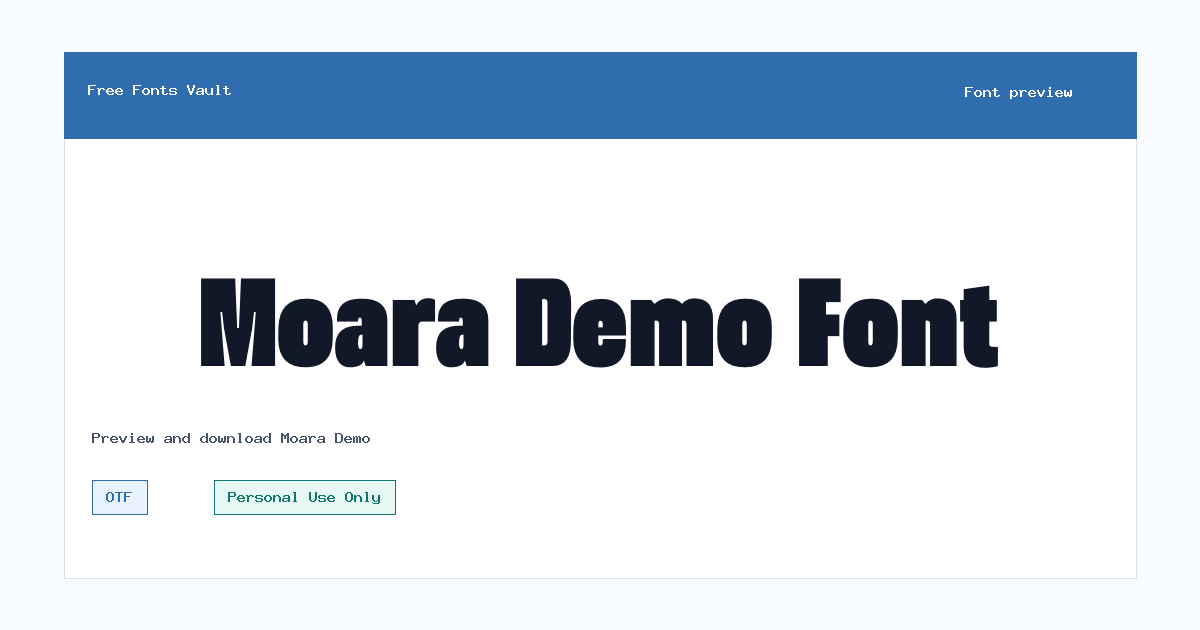
Moara Demo font.
Moara Demo is a bold display font intended for personal-use design experiments, preview layouts, and short pieces of standout text. Its included font file is an OTF in a 700 weight, so it is best tested where a strong title or headline style is needed rather than long reading text.
About Moara Demo Font
Moara Demo is presented as a demo version of the Moara display font, with Muhammad Muammar and Furqan Sudirman credited as the designers and Limitype connected to the release. The available style is bold, which gives the font a clear role: use it where the words need visual weight. It can work well for logo drafts, poster headings, social graphics, packaging mockups, event titles, and other short design settings where a heavier display face makes sense. Because only one style is listed, it should be treated as a focused display option rather than a full text family with multiple weights.
Before downloading, try your actual words in the preview box. Display fonts can change character a lot depending on the phrase, especially in all caps, mixed case, numbers, and punctuation. Test brand names, short headings, initials, and any special characters you need before using it in a layout. For longer paragraphs, pair Moara Demo with a simpler sans serif or serif that keeps body copy easy to read. If the bold style feels too heavy at small sizes, reserve it for larger headings and use a quieter companion font for captions, menus, descriptions, or supporting text.
Features
- Bold 700 display style suited to short, attention-focused text
- OTF font format for use in common desktop design applications
Best Uses
- Poster titles, album art concepts, event graphics, and social media headers
- Logo drafts, branding mockups, packaging studies, and personal portfolio experiments
License Information
Moara Demo is marked as Personal Use Only. Use it for personal projects, previews, and non-commercial design tests unless you obtain a commercial license or written permission from the rights holder. Do not assume it is cleared for client work, products for sale, advertising, apps, merchandise, or brand identity use.
Designer and Foundry
Muhammad Muammar and Furqan Sudirman are credited as the designers, with Limitype connected to the font. Check the designer or foundry page for the most complete license and purchase information before using Moara Demo beyond personal projects.
Usage Tips
Use Moara Demo at larger sizes first, then reduce the size only after checking readability. Test uppercase and lowercase words, numbers, punctuation, and any accented characters you expect to use. For balanced layouts, keep Moara Demo for the main headline or focal word and pair it with a clean, readable body font.
FAQ
Is Moara Demo free for commercial use?
No commercial-use permission is confirmed here. The license is marked Personal Use Only, so treat Moara Demo as a personal/demo font unless you get a proper commercial license.
What kind of font is Moara Demo?
Moara Demo is a display font with a bold 700 style. It is better suited to headings, titles, and short design text than to long paragraphs.
What file format is included?
The listed font file is in OTF format, which is widely supported by desktop design software and most modern operating systems.
Who designed Moara Demo?
Muhammad Muammar and Furqan Sudirman are credited as the designers, and Limitype is connected to the font listing.
What should I check before using Moara Demo in a project?
Preview your exact text, check readability at the final size, test punctuation and numbers, and confirm the license if the project is commercial or client-facing.
Similar Fonts
Want to browse beyond this family? Return to All Fonts for the main directory.