Font Directory
Boldinda Demo
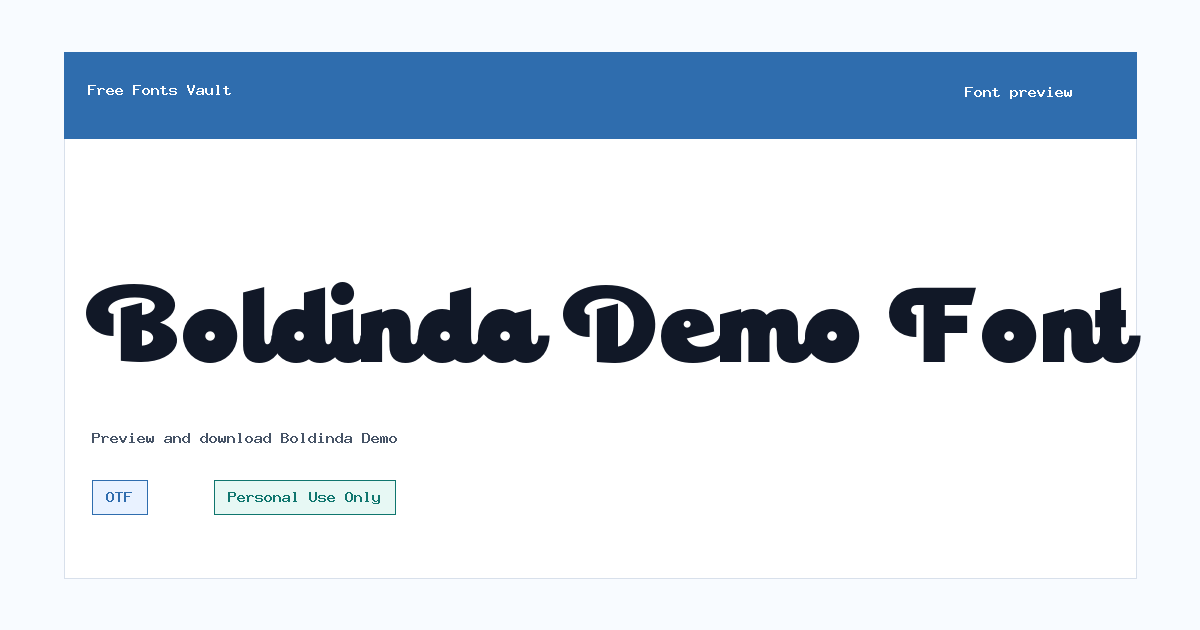
Boldinda Demo includes 1 downloadable variant for live preview and testing.
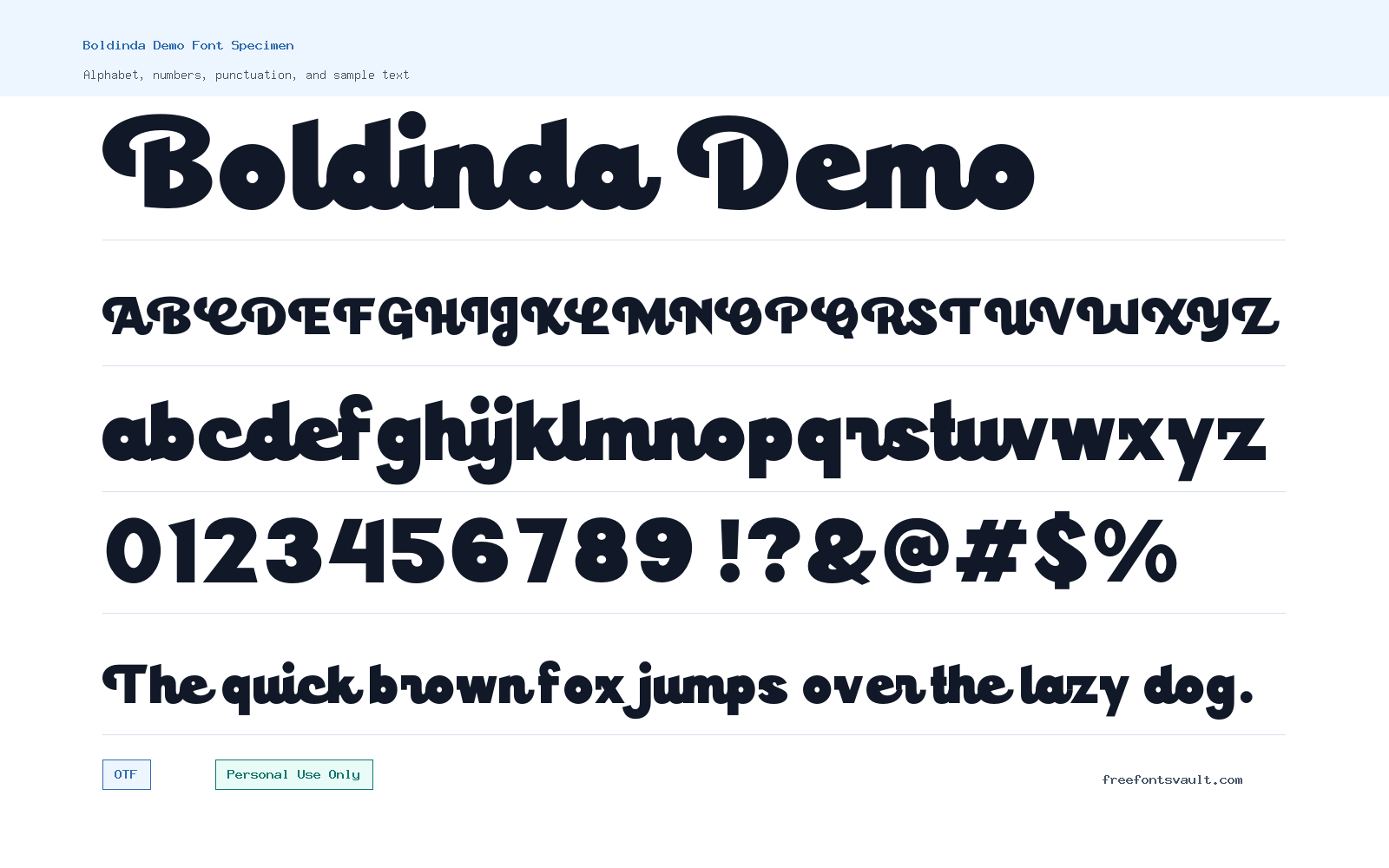
Font Specimen
Details
- Designer Lettersweet
- Foundry Lettersweet
- License Personal use only
- Format OTF
- Variants 1 file available
Boldinda Demo font.
Boldinda Demo is a bold script font from Lettersweet with a strong handwritten feel. It is best suited for display work where the text is short, expressive, and meant to stand out.
About Boldinda Demo Font
Boldinda Demo has the kind of heavy script style that works well when a design needs a personal, crafted look without becoming too delicate. The strokes feel substantial, so the font can hold attention in larger settings such as logo drafts, poster headlines, packaging mockups, social graphics, and title treatments. Because it is a demo font, it is a good choice for testing the mood of a project before deciding whether it fits the final direction. Use it where the lettering itself is part of the visual identity, not just a quiet supporting detail.
This font is more practical for short words and compact phrases than for long paragraphs. Try it in the preview tool with brand names, event titles, product labels, invitation headings, or a few words of display copy. Script fonts often depend on spacing, scale, and letter combinations, so check how your exact text looks before downloading or using it in a mockup. If a word has many repeating letters or tight joins, test alternate sizing and tracking in your design software. For web mockups, it can work nicely as a headline or hero accent, but it should be paired with a simple sans serif or readable serif for body text, buttons, menus, and longer descriptions.
For logo exploration, Boldinda Demo can help you test a friendly, hand-lettered direction. Keep the layout simple around it so the script remains readable. It may suit boutique concepts, personal brands, beauty or lifestyle mockups, handmade product labels, café-style graphics, greeting cards, and social media posts. Avoid using it in very small sizes, dense captions, or all-text layouts where clarity matters more than personality. A bold script can lose detail when squeezed into small spaces, especially on mobile screens or low-resolution preview images.
Pairing is easiest when the second typeface stays calm. A neutral geometric sans serif can make the script feel modern, while a classic serif can make it feel warmer and more editorial. Avoid pairing it with another decorative script or a highly stylized display face, since that can make the design look crowded. If Boldinda Demo is used for the main wordmark or headline, let the supporting font handle information like dates, prices, calls to action, or descriptions. This keeps the design readable while still giving the main text a strong personality.
The downloadable font file is in OTF format, which is commonly used in desktop design apps. Install it through your operating system’s font manager, then restart any design app that was already open if the font does not appear right away. In tools such as Photoshop, Illustrator, Canva uploads, Affinity apps, or Figma font projects, always test export quality before sending a proof to a client or printing a design. Since the license is for personal use only, treat commercial layouts, client projects, products for sale, paid advertising, and business branding as needing a proper commercial license from the rights holder.
Features
- Bold script style with a strong handwritten display look
- OTF font file suitable for desktop design testing
- Heavy 700-weight style for headlines, wordmarks, and short phrases
- Useful for personal-use mockups, logo drafts, posters, labels, and social graphics
- Works best when paired with a clean supporting text font
Best Uses
- Logo concepts and wordmark mockups
- Poster headlines and event title graphics
- Personal-use branding experiments
- Packaging and label mockups
- Greeting cards, invitations, and quote graphics
- Social media images with short display text
- Web hero mockups where the script is used as an accent
License Information
Boldinda Demo is marked as Personal Use Only. You can use it for personal projects and design testing, but commercial work should not use it unless you obtain the correct commercial license from the font owner or authorized seller.
Designer and Foundry
Boldinda Demo is credited to Lettersweet, with Lettersweet also listed as the foundry. A Behance profile is associated with the designer credit.
Usage Tips
Use Boldinda Demo at larger sizes and keep the text short. Test your exact wording in the preview, then pair it with a simple sans serif or readable serif for supporting information. For logos, client branding, products, ads, or any money-making use, check the license first.
FAQ
Is Boldinda Demo free for commercial use?
No. The license information marks Boldinda Demo as Personal Use Only. For commercial projects, you should get a commercial license from the rights holder or an authorized source.
What kind of font is Boldinda Demo?
Boldinda Demo is a bold script display font. It has a handwritten look and is better for short, eye-catching text than for long reading.
Who designed Boldinda Demo?
The font is credited to Lettersweet, which is also listed as the foundry.
What file format does the download use?
The font file is an OTF file. OTF fonts are commonly supported by desktop design software and operating system font managers.
Can I use Boldinda Demo for a logo?
You can test it in personal logo concepts or mockups, but commercial logo use requires the proper commercial license. Also preview your exact brand name first, because script fonts can vary in readability from word to word.
Is Boldinda Demo good for websites?
It can work in a web design mockup as a large headline, hero word, or decorative accent. It is not a good choice for body text, navigation, or small interface labels.
What fonts pair well with Boldinda Demo?
Pair it with a clean sans serif for a modern look or a simple serif for a softer editorial feel. Avoid combining it with another script font, because two decorative fonts can compete with each other.
Why should I preview my text before downloading?
Script fonts can look different depending on the letters in your word. Previewing helps you check spacing, joins, readability, and whether the style fits your project.
Similar Fonts
Want to browse beyond this family? Return to All Fonts for the main directory.