Font Directory
Gaprio Display
Gaprio Display includes 2 downloadable variants for live preview and testing.
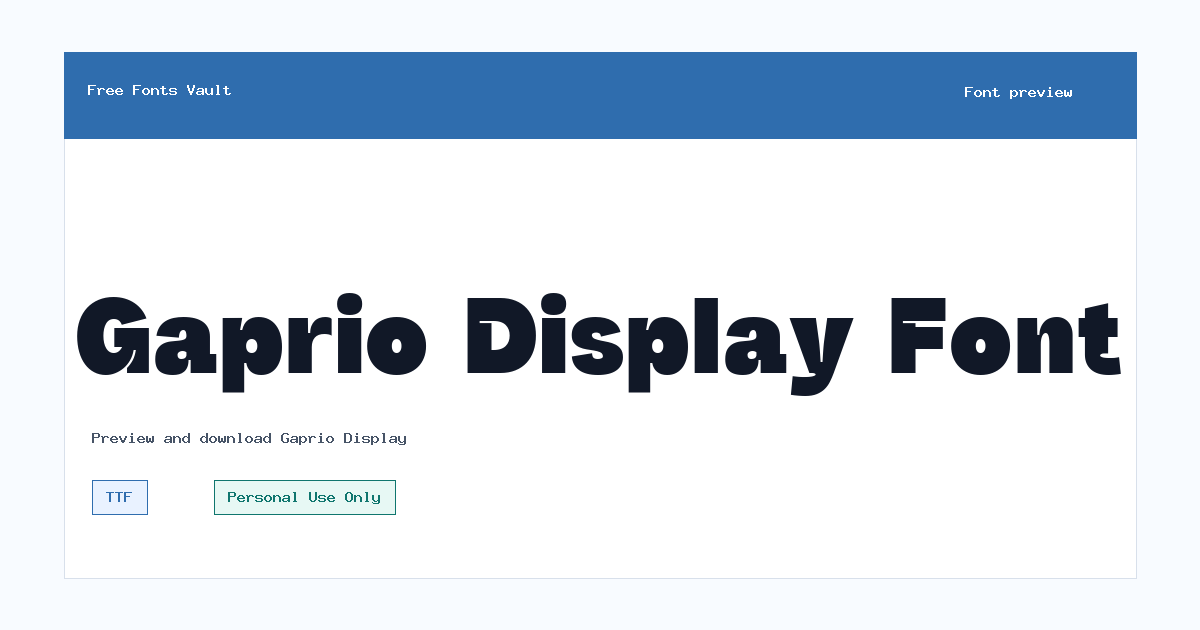
Styles in this family
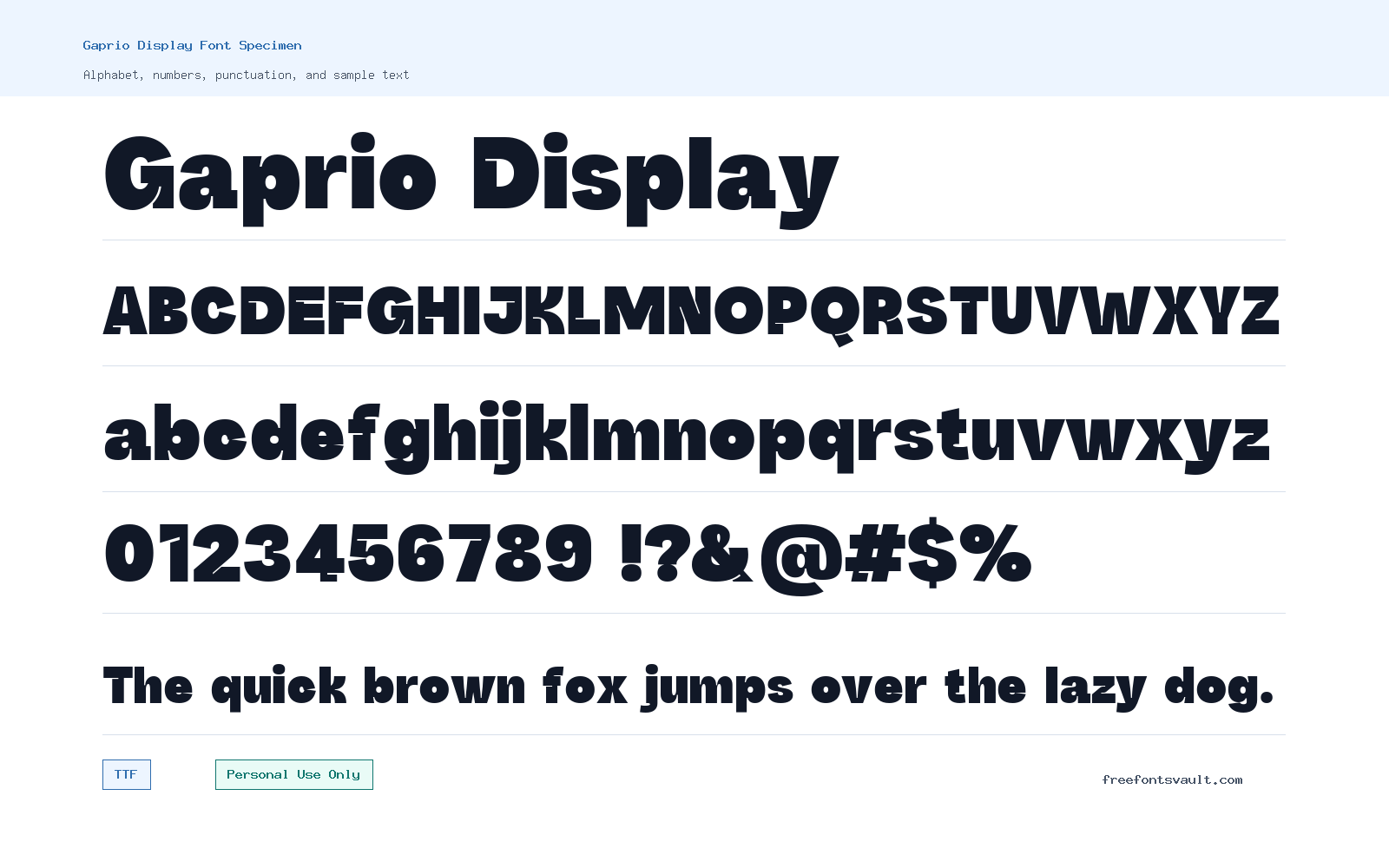
Font Specimen
Details
- Designer Diki Pradipta Tri Atmojo
- Foundry Lettertype Studio Co.
- License Personal use only
- Format TTF
- Variants 2 files available
Gaprio Display font.
Gaprio Display is a display sans serif made for strong, short text: headlines, poster lines, brand mockups, logo sketches, and social graphics. The demo files include regular and italic TTF styles, so visitors can test both upright and slanted settings before deciding whether the typeface fits a project.
About Gaprio Display
Gaprio Display has the kind of role its name suggests: it is meant to be seen at display sizes rather than hidden inside long paragraphs. Public listings describe it as a display, geometric, sans serif typeface, and the demo naming points to a family built for presentation use. In practice, that makes it a better choice for a title, masthead, packaging concept, event graphic, fashion-style poster, or a branding direction than for body copy. Use the preview box to test the words that actually matter in your design, such as a brand name, product line, event title, or short callout. Display fonts can look excellent in one word and less convincing in a full sentence, so checking real text is more useful than judging from an alphabet sample alone.
The available styles are regular and italic in TTF format. That gives you a simple but useful pairing inside the same family: keep the regular style for main titles and use the italic for a secondary phrase, tagline, date, label, or contrast line. For logo work, test the spacing carefully, especially with letters that create open gaps or tight joins. If you are building a poster or web mockup, try Gaprio Display at large sizes first, then reduce it to see where the shapes stop feeling clear. It may pair best with a quieter sans serif for navigation, captions, product descriptions, or article text. Avoid using another loud display face beside it unless you want a deliberately busy layout. A plain grotesque, neutral sans, or simple serif can let Gaprio Display carry the visual identity without making the page feel crowded.
Features
- Display sans serif style suited to short, high-impact typography rather than long reading text.
- Regular and italic demo TTF files for testing upright headlines and slanted accent text.
- Public character-map information lists broad Latin coverage with accents, punctuation, currency marks, arrows, math symbols, and common ligatures, though the exact glyph count should be checked in the font file.
- Personal-use demo licensing makes it useful for testing, previews, mockups, and non-commercial design experiments.
Best Uses
- Logo concepts and brand identity mockups
- Poster headlines and event graphics
- Website hero titles and landing page mockups
- Packaging concepts, labels, and product names
- Social media graphics with short text
- Editorial display titles, covers, and presentation slides
License Information
Gaprio Display is marked as Personal Use Only in the font information, and public listings also describe the demo as trial/demo use. Use it for personal testing and non-commercial previews only unless you obtain the correct commercial license from the rights holder or foundry. Do not assume logo, client, merchandise, app, webfont, or advertising use is allowed from the demo download.
Designer and Foundry
Gaprio Display is credited to Diki Pradipta Tri Atmojo, with Lettertype Studio Co. listed as the foundry. Lettertype Studio describes itself as an independent type foundry based in Bandung, Indonesia.
Usage Tips
Start by previewing your exact headline or brand name in both regular and italic. Check spacing at large sizes, then test the same words smaller for mobile mockups and thumbnails. For web designs, use Gaprio Display as a hero or title face and pair it with a more neutral text font for paragraphs, menus, forms, and captions. For logo work, make sure the licensing is upgraded before any commercial use, and consider customizing spacing or outlines only after confirming the license allows that kind of modification.
FAQ
Is Gaprio Display free for commercial use?
No. The license information marks Gaprio Display as Personal Use Only, and public listings describe the demo as trial/demo use. A commercial project needs the proper paid license or written permission from the rights holder.
What styles are included?
The available files are regular and italic demo styles in TTF format. The regular style is the main choice for headlines, while the italic can work for taglines, contrast text, or secondary display lines.
What kind of font is Gaprio Display?
It is presented as a display sans serif, with public listings also placing it under geometric and sans serif categories. It is best treated as a headline and branding font rather than a paragraph font.
Can I use Gaprio Display for a logo?
You can test it in personal logo concepts and mockups, but commercial logo use should wait until you have the correct license. Logo licensing can be stricter than casual personal use, so check the foundry’s terms.
Does Gaprio Display support accented characters?
A public character map lists many Latin accented characters along with punctuation, symbols, currency marks, arrows, math signs, and ligatures. If your project depends on a specific language, preview the exact words before using it.
What font should I pair with Gaprio Display?
Pair it with a calm text face. A neutral sans serif is the safest option for websites and brand systems, while a simple serif can work for editorial layouts. Let Gaprio Display handle the title and keep supporting text easy to read.
Similar Fonts
Want to browse beyond this family? Return to All Fonts for the main directory.